LandMatch
A streamlined experience for discovering and evaluating land opportunities.
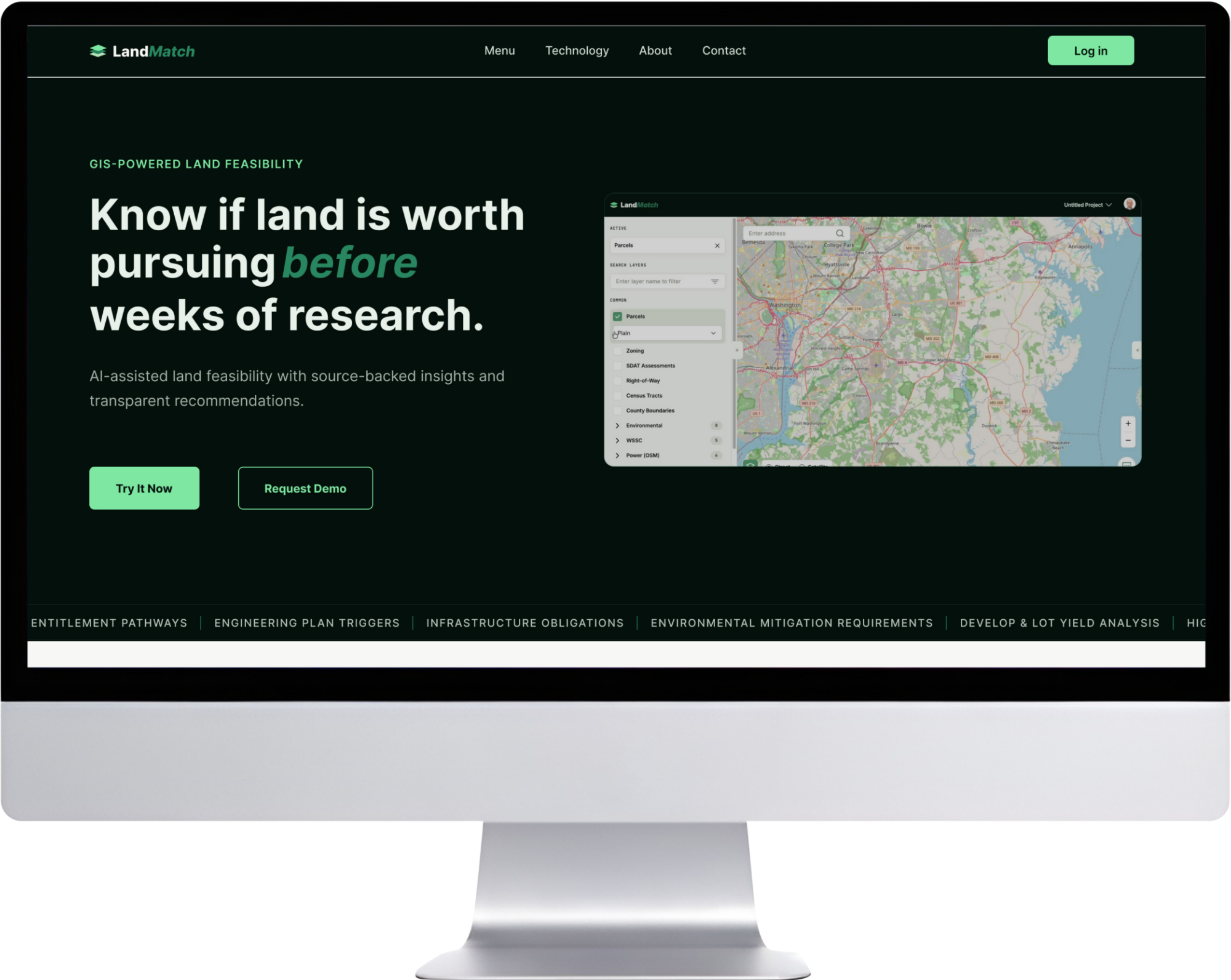
LandMatch focused on developing a cohesive brand identity and digital experience for a platform centered around land discovery. The project explored how visual design, branding, and UI systems can work together to create a more approachable and trustworthy user experience.
The challenge
The process of exploring land opportunities can feel complex due to unclear information, inconsistent presentation, and limited visual guidance. The challenge was to create a brand and digital experience that felt trustworthy, approachable, and easy for users to navigate.
The goal
Create a cohesive brand identity and digital experience that builds trust, improves clarity, and helps users confidently explore land opportunities.
Understanding the opportunity
Research and competitive analysis explored user behaviors, needs, and expectations when evaluating land opportunities. Findings helped inform the brand direction, visual hierarchy, and overall experience by identifying opportunities to create a more trustworthy, approachable, and intuitive platform.
Clarity builds confidence
Complex information and inconsistent presentation can make it difficult for users to understand available options and make confident decisions.
Hierarchy simplifies complexity
Thoughtful typography, visual hierarchy, and consistent design patterns help users navigate information more intuitively.
Brand builds trust
A cohesive visual identity and clear communication help establish credibility and create a more approachable experience.
Insight Brand direction Design system Product
Building the brand
The branding process focused on creating an identity that communicated trust, clarity, and approachability. Logo exploration, typography, color, and visual elements were developed to establish a recognizable brand foundation and define the overall design direction.
Logo exploration





Final mark

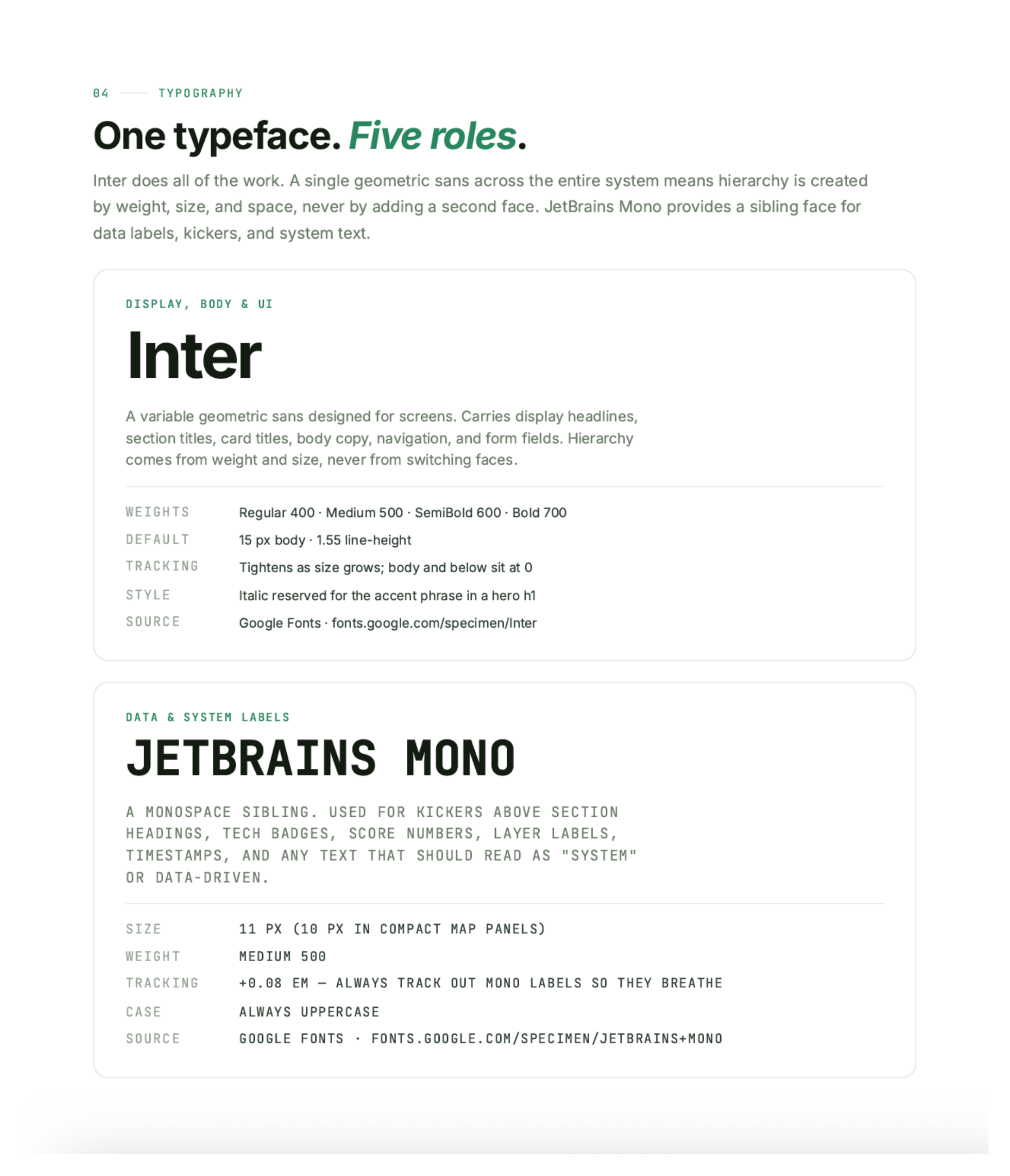
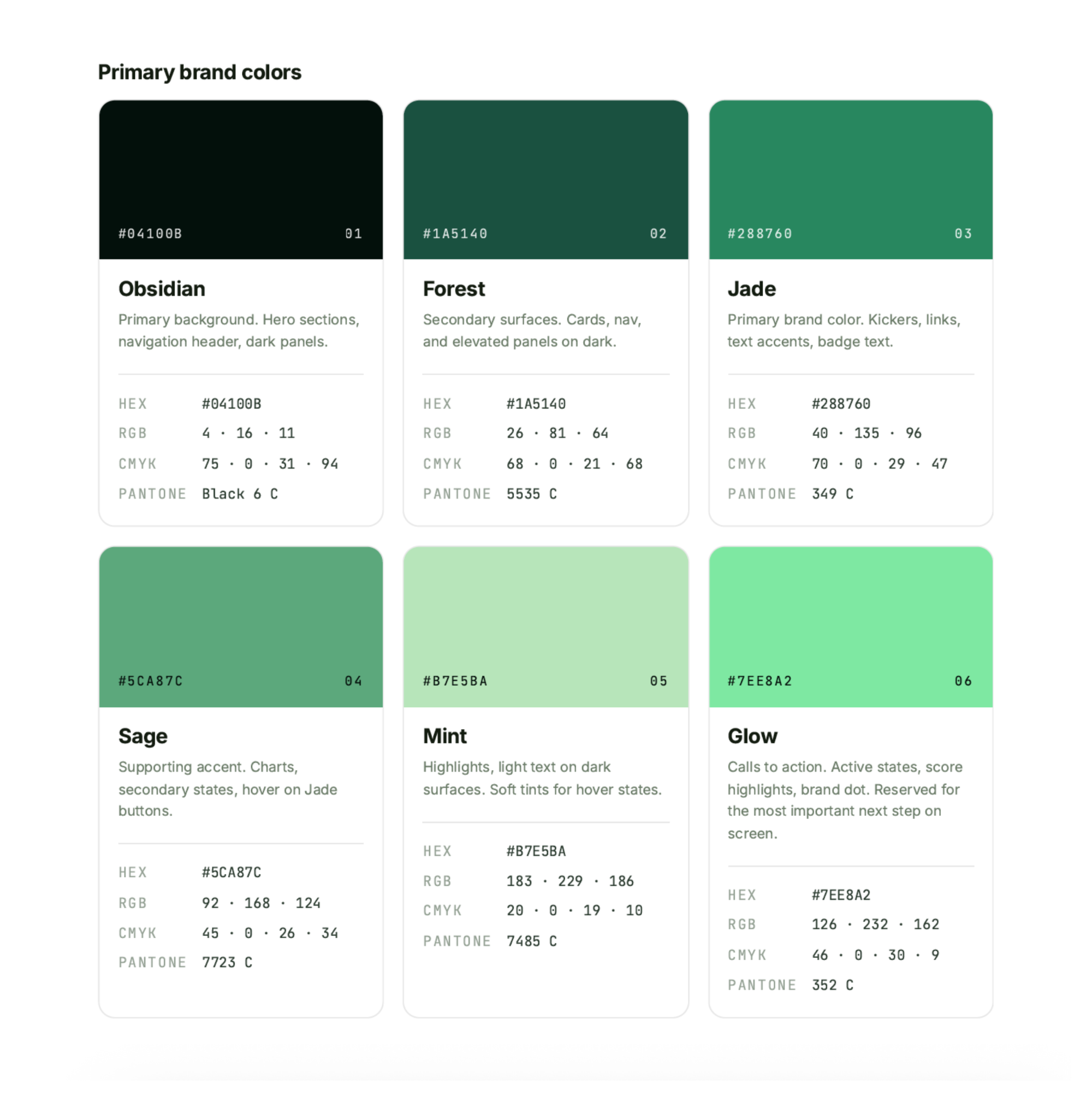
Brand elements and visual direction


Translating the brand into the product
The visual identity was translated into a digital design system that established consistency across the interface. Components, UI patterns, and visual guidelines were created to support a cohesive product experience while maintaining the LandMatch brand personality.
Component library
Full size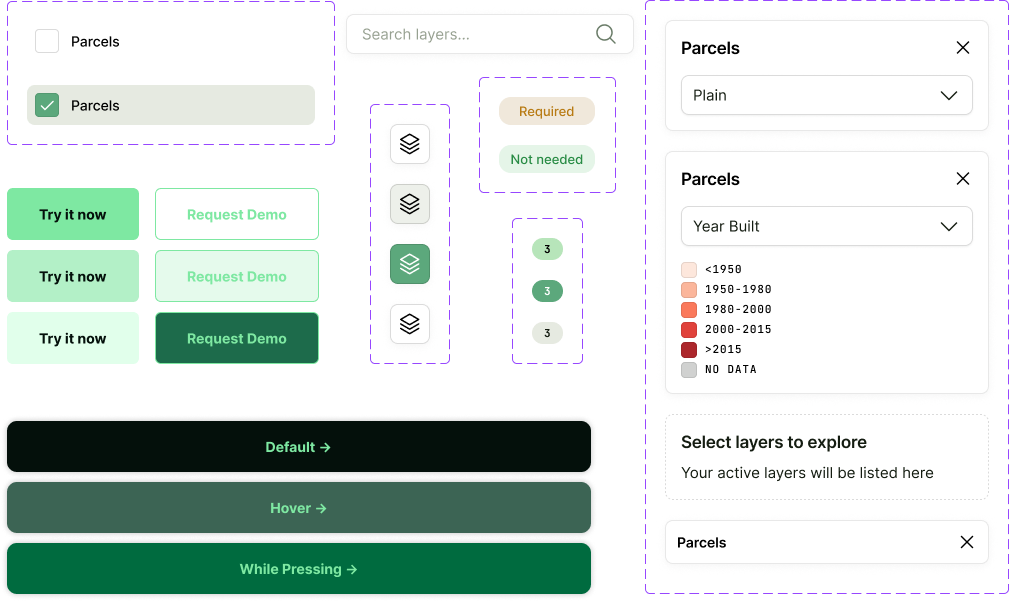
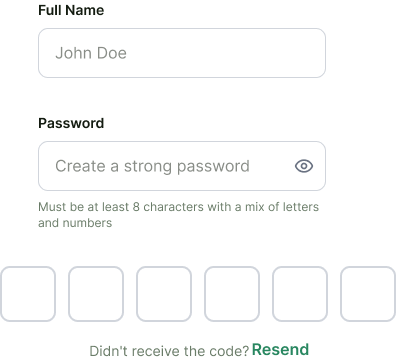
Inputs and forms
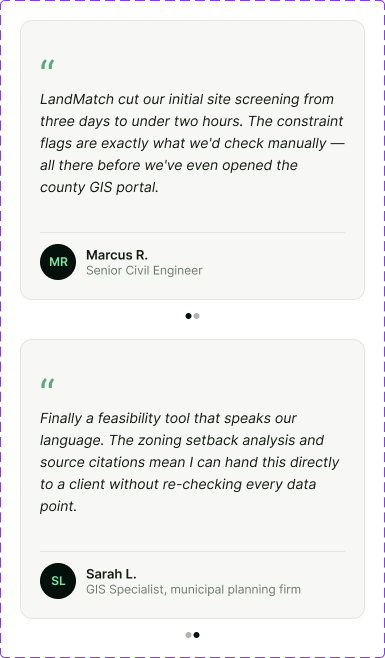
Cards
Final experience
The system in use across the product, with the brand doing the work of making a dense discovery experience feel navigable.
Discover
Discovering LandMatch
The brand and the design system applied across the full homepage: hero, search, listings, and testimonials, with the type scale and component patterns carrying the same voice from section to section.
Onboard
Getting set up
Onboarding carries the same components and type scale as the marketing site, so the first steps inside the product feel continuous with the brand a user just met.
In use
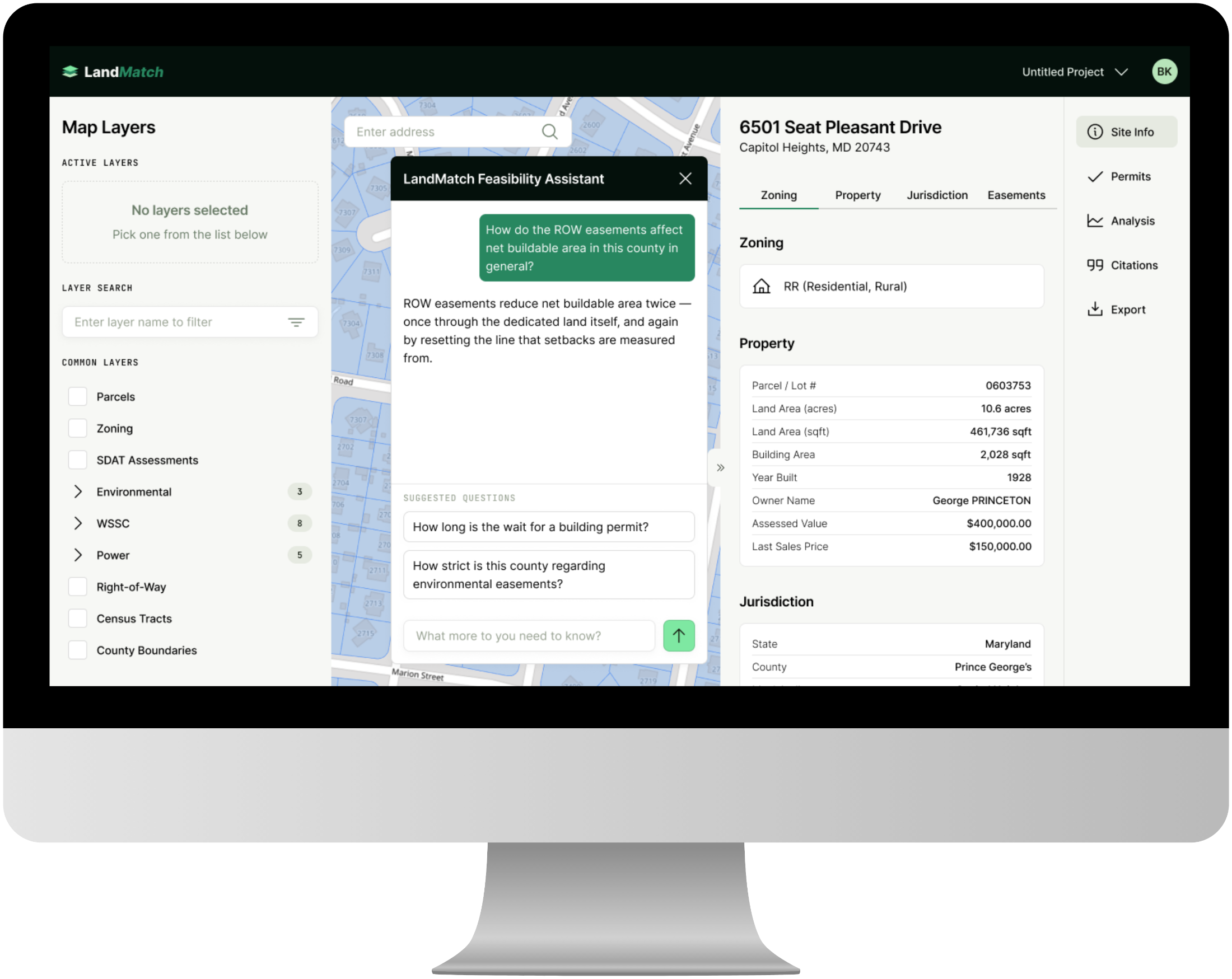
Evaluating a site
Three dense panels held together by the system: layer controls on the left, the parcel map and feasibility assistant in the centre, and site detail on the right, where consistent type and spacing keep a lot of data legible at a glance.
Reflection
The process was fragmented. The experience didn’t have to be.
Working on LandMatch showed me how much thoughtful UI and visual design can do to make a complex workflow feel more cohesive. By bringing information, tools, and decision-making into one system, the product was designed to reduce the time and friction involved in a traditionally fragmented process. My focus was on creating a visual language that made that streamlined experience feel clear, consistent, and approachable.