PRESSD
Helping independent artists build and share professional electronic press kits.
PRESSD brings artist information, media, branding, and publishing into one guided experience, simplifying a traditionally fragmented process for independent artists.
The challenge
Building and maintaining a professional press kit can be time-consuming and overwhelming, especially for independent artists without design experience. Existing workflows are often fragmented, making it difficult to keep content organized and up to date.
The goal
Create a guided platform that simplifies press kit creation while giving artists the flexibility to showcase their brand.
Understanding the user
User research explored how independent artists create and maintain press kits, uncovering common pain points, existing workflows, and opportunities to simplify the experience.
Press kit content is fragmented
Artists often manage bios, photos, music, links, and other assets across multiple platforms and documents.
Artists need guidance
Many independent artists aren't sure what belongs in a professional press kit or how to structure it.
Brand identity matters
A press kit needs to feel like an extension of the artist, not simply a collection of information.
Keeping content current is an ongoing challenge
Updating assets across different platforms can be just as difficult as creating the press kit itself.
These insights pointed toward a product that could centralize content, guide artists through creation, and give artists enough flexibility to make the final press kit feel personal.
Structuring the experience
The research set the product's shape: how PRESSD should be organized, how an artist moves through it, and how the process stays guided without becoming restrictive.
Product architecture
The product structure centered around three core needs: creating a press kit, managing its content, and sharing the finished experience.
Core areas
Create
A guided flow helps artists build their press kit step by step.
Manage
A centralized workspace makes it easier to organize and update artist information, media, and links.
Share
Artists can publish and share a professional press kit once their content is ready.
This structure became the foundation for PRESSD's navigation and guided creation experience.
Core user journey
Flows mapped the core tasks required to create, edit, customize, and publish a kit, shaping the primary journey into a sequence artists can leave and return to rather than a single long form.
Guidance lives in defaults and ordering, not in locked steps, so an artist with an existing kit can jump straight to the part they need.
Early exploration
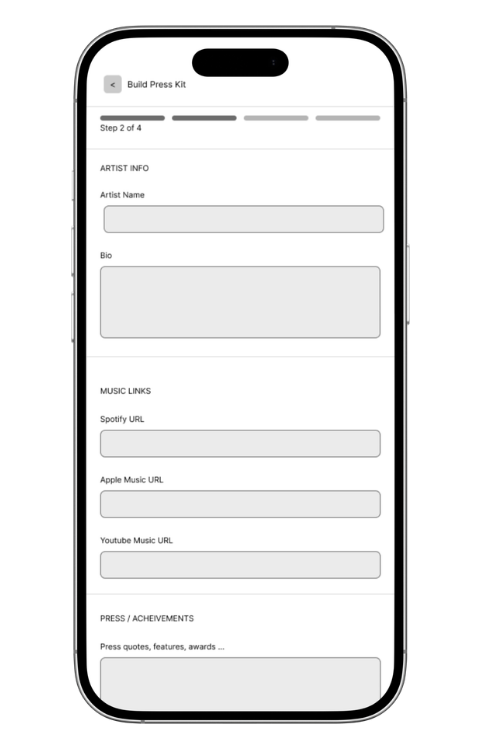
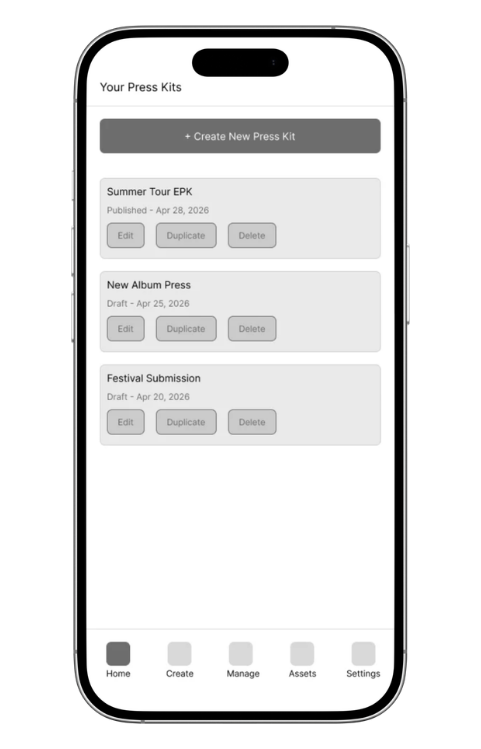
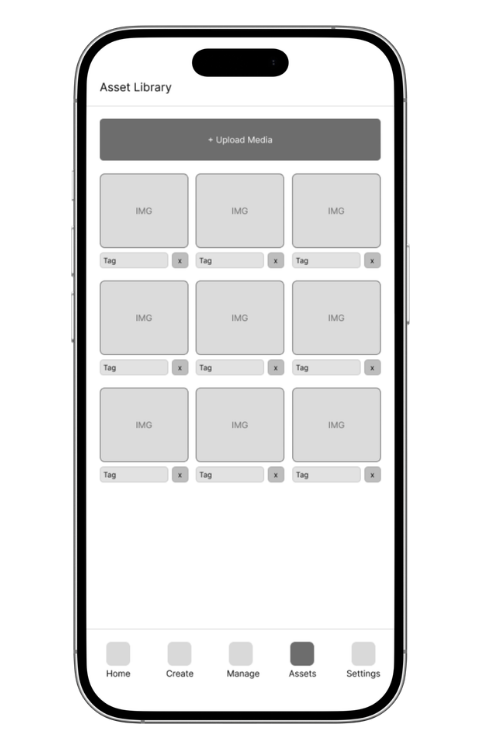
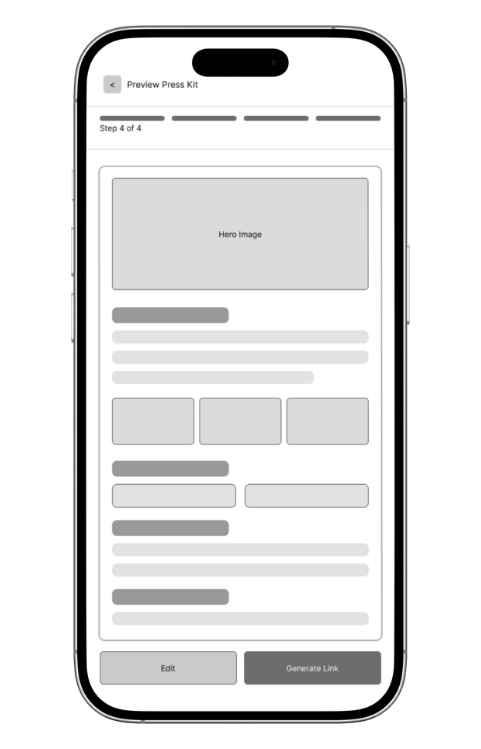
Early wireframes explored the structure of the press kit creation experience, focusing on how artists would navigate the product, organize their content, and move through the creation process.
Structure
Explored how the creation flow could be broken into manageable steps.
Content
Tested different ways to organize artist information, media, and links.
Guidance
Explored how the interface could help artists understand what to include and where.
Design system
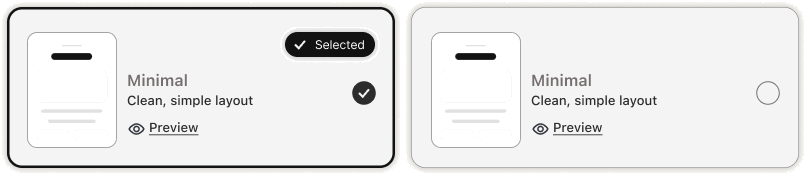
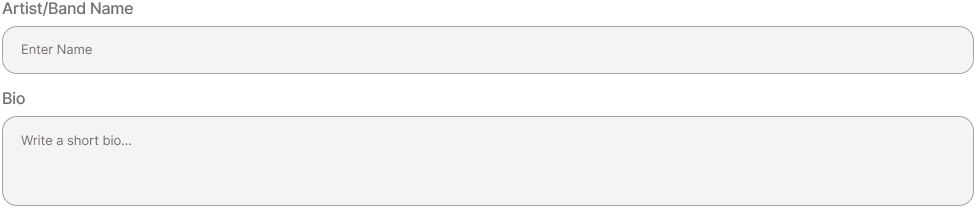
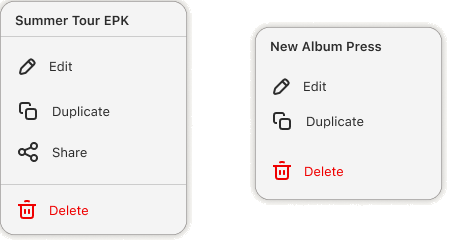
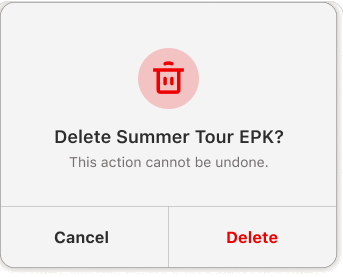
A component library set the reusable patterns, visual standards, and interaction conventions used across the product, and drew the line between what stays consistent and what artists control.
Structural components (section headers, media slots, form groups) stay fixed so every kit reads as professional.
Expressive layers (type, color, imagery, cover treatment) are the artist's, so two kits built from the same system look nothing alike.
Buttons



Cards

Navigation



Forms and inputs
Status

Branding

User testing + refinement
The prototype was tested to evaluate the guided creation experience, content management, navigation, and overall usability. Feedback highlighted opportunities to simplify the workflow, improve content organization, and strengthen branding customization.
Design Test Learn Refine
Hi-fi prototype
Simplified creation flow
Refined the guided workflow to reduce unnecessary steps and make building a press kit feel more intuitive.
Improved content organization
Strengthened navigation and section hierarchy to make editing and managing press kit content easier.
Enhanced branding customization
Expanded branding controls to give artists greater flexibility while maintaining a structured creation process.
Final design
Four moments that carry the product: building a kit, storing its material, making it yours, and sharing it.
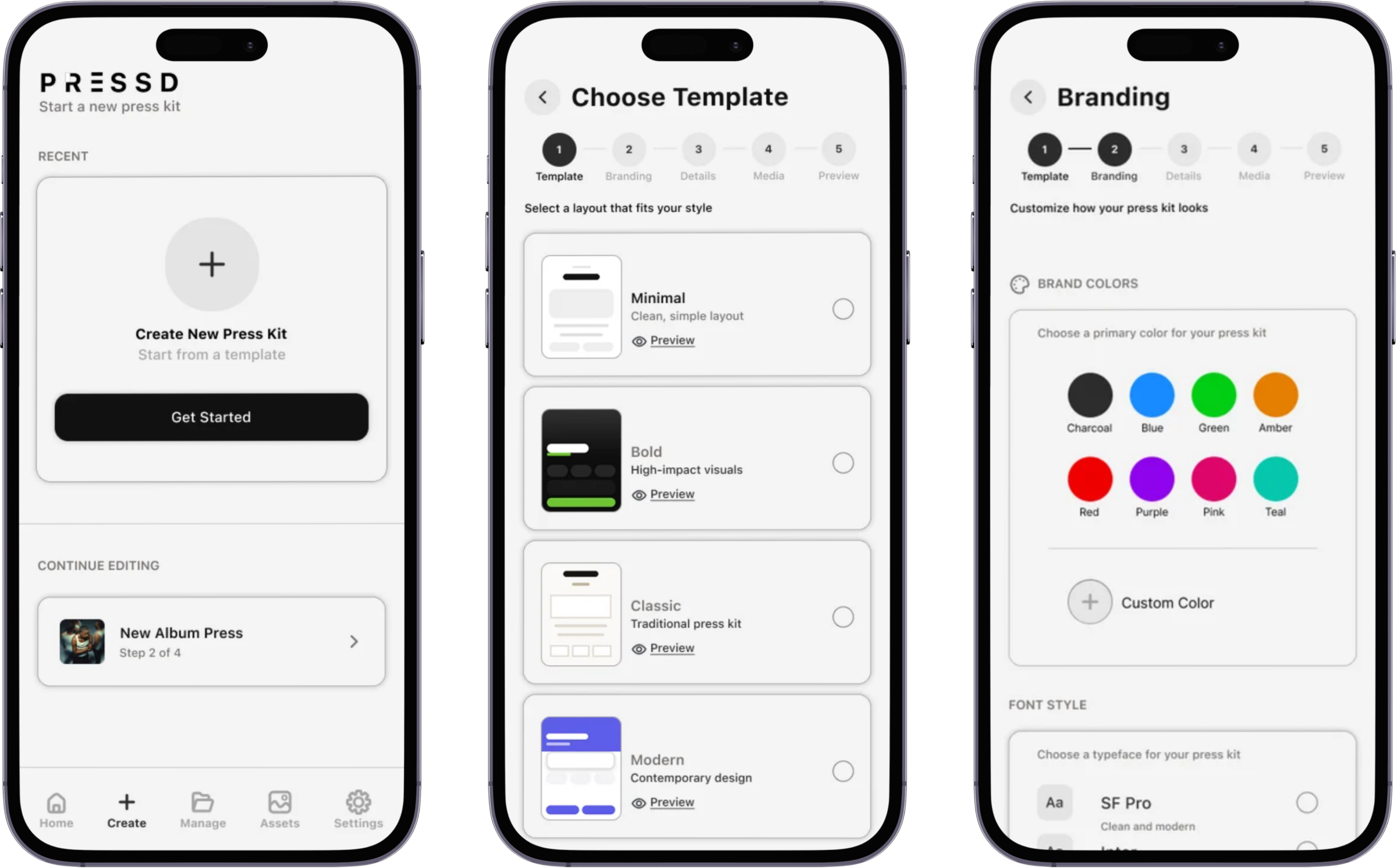
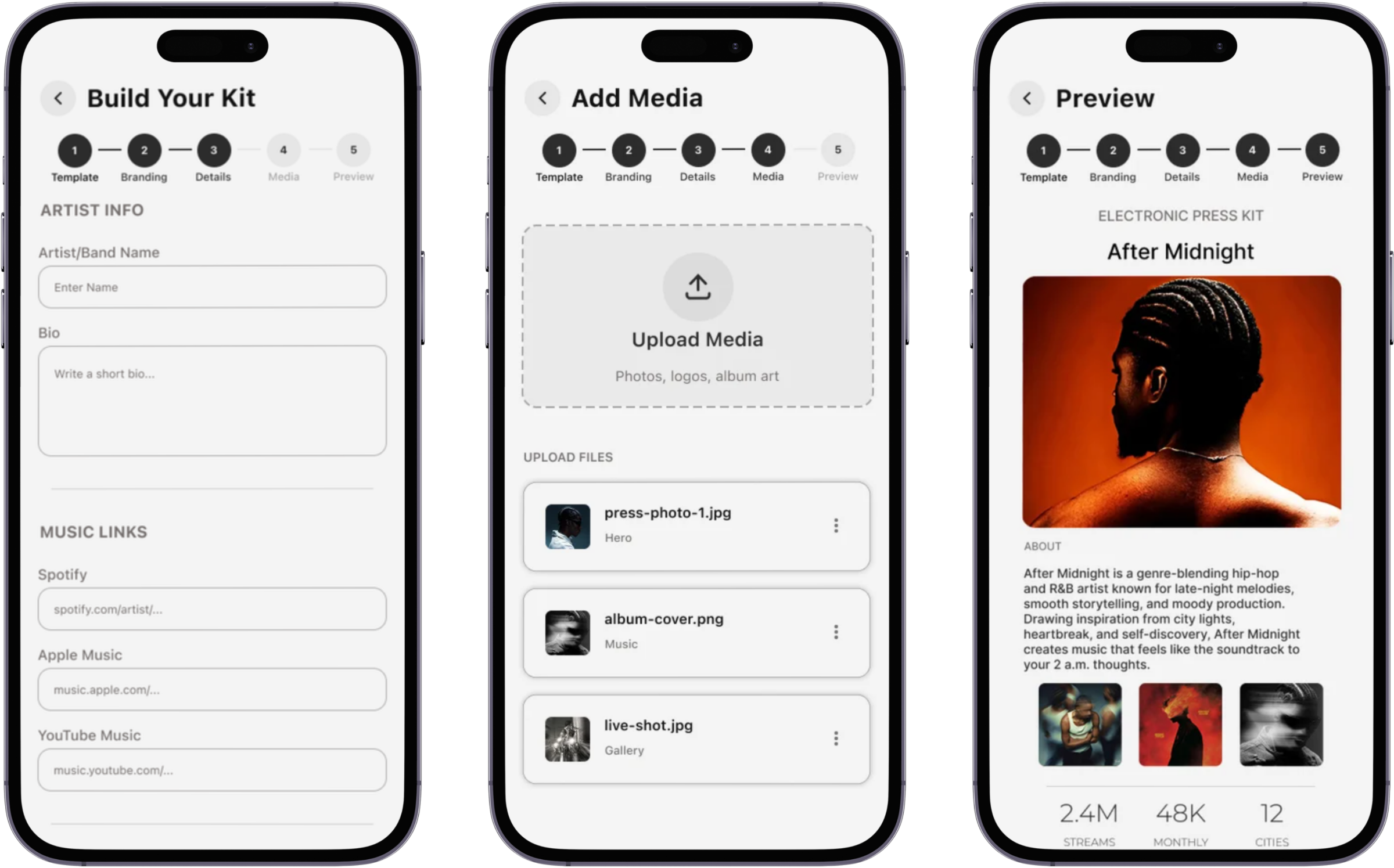
Build
Guided press kit creation
A template and a named sequence of sections mean artists never decide what a press kit should contain. PRESSD already knows, and asks for one thing at a time.
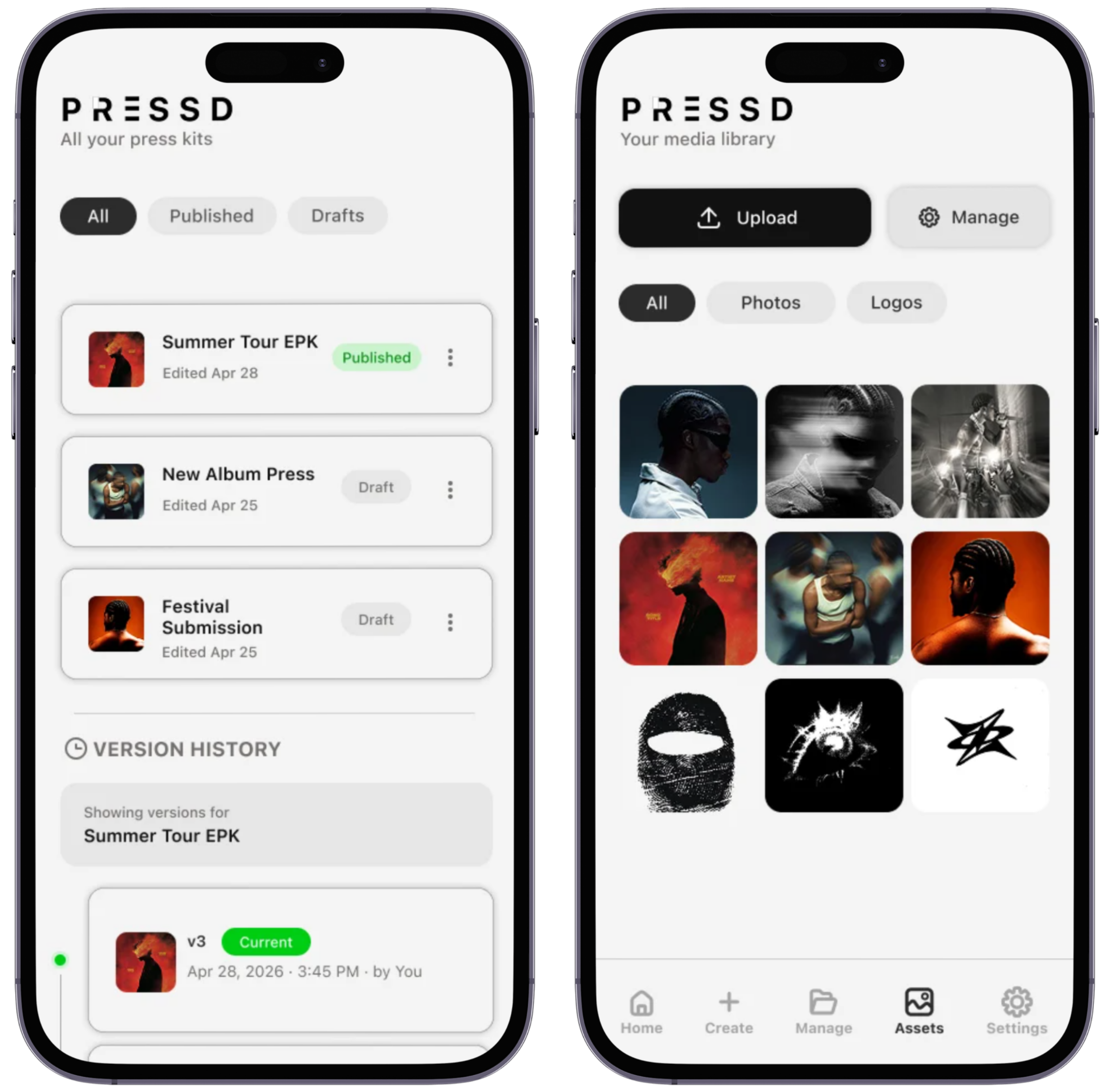
Store
A library, and every kit in one place
Photos, videos, and logos live in a shared asset library, while Manage Press Kits keeps every kit an artist has built in one place to revisit and update.
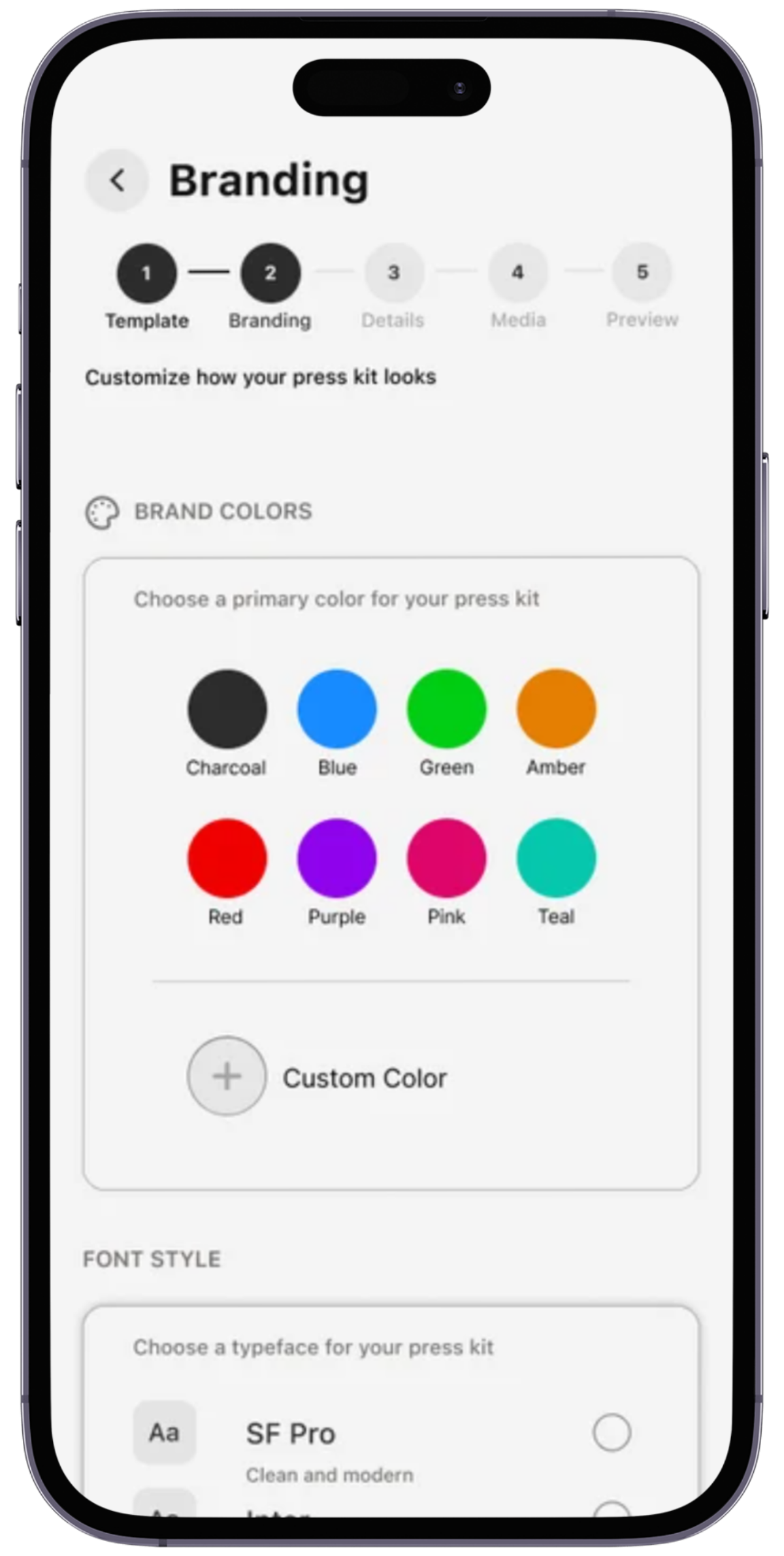
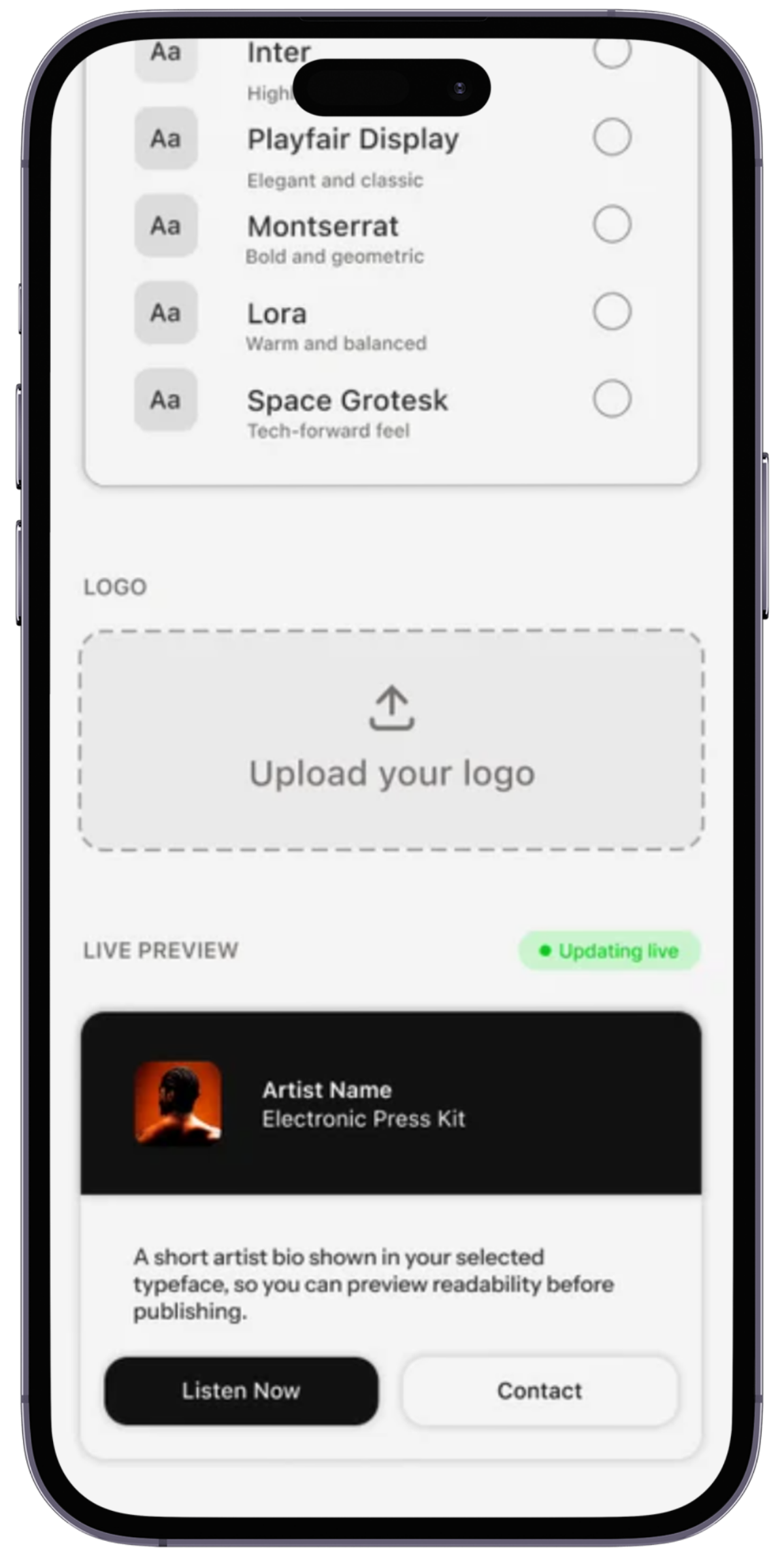
Customize
Branding, inside a structure
Branding controls act on the expressive layer only. The artist changes how the kit feels; the system keeps it legible and complete.
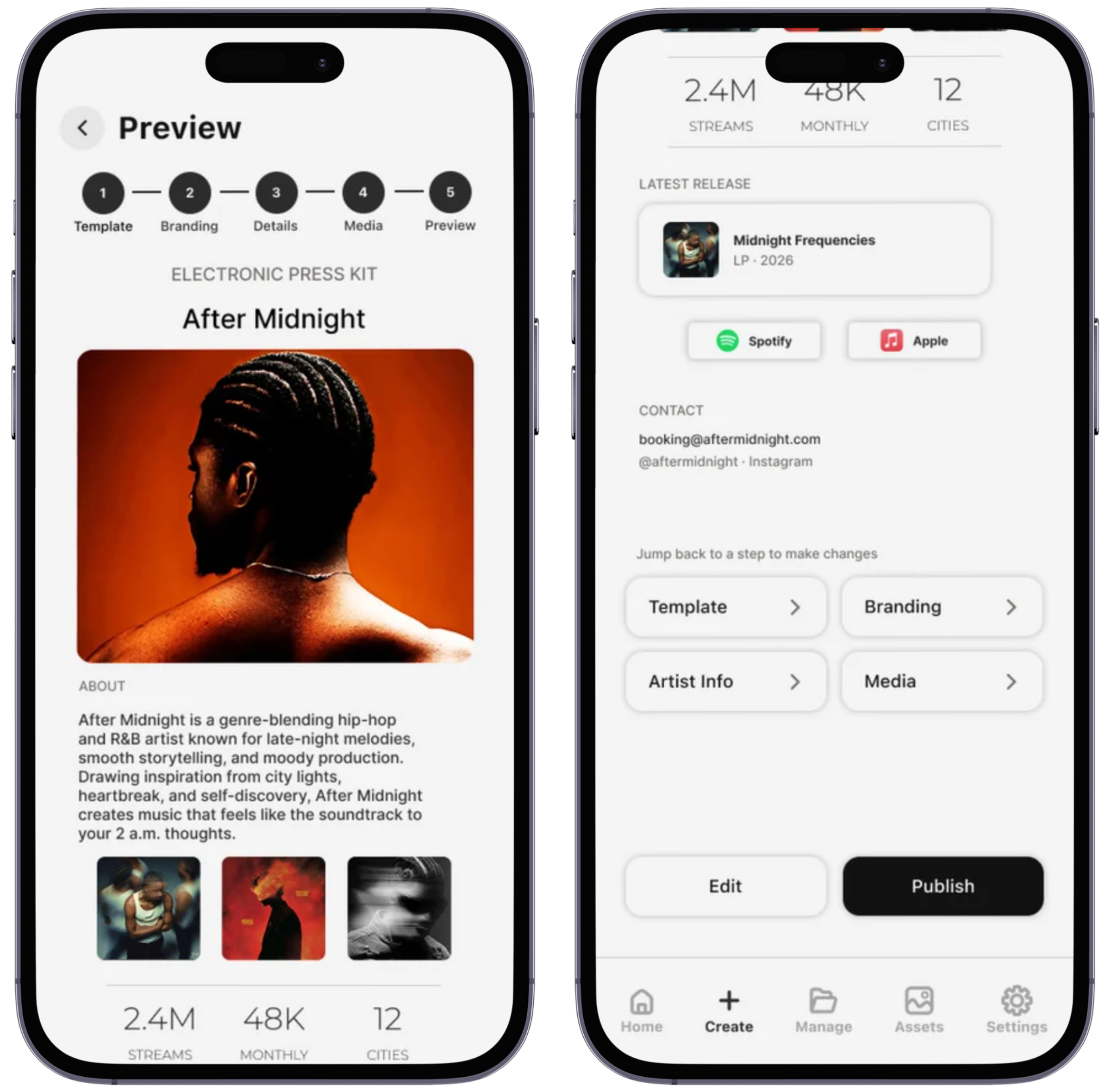
Share
A destination, not a document
The finished kit becomes a single link an artist can send to a venue, label, or press contact, and update without resending anything.
Reflection
Structure should support an artist’s identity, not define it.
Creating PRESSD meant finding the balance between giving artists enough structure to feel confident and enough flexibility to make the experience their own. That tension influenced how I approached the creation flow, content organization, and customization throughout the product.